How to Manage Clients and Invoices Entirely from Your Phone
The Mobile-First Business
For a growing number of freelancers, tradespeople, and small business owners, the traditional office setup simply doesn't fit. You're on site, between meetings, or on the go — and the last thing you want is to wait until you're back at a desk to handle your invoicing.
Invoice Saint was built with this in mind from day one. Every feature works seamlessly on iOS and Android, with an interface designed for thumbs, not a mouse.
Adding and Managing Clients
Before you can invoice someone, they need to be in your client list. In Invoice Saint, adding a client takes about 30 seconds:
- Tap New Client
- Enter their name, company, email, and billing address
- Save — they're ready to invoice
Client profiles store the full history of your invoices with them, so you can see at a glance how much they've spent, what's outstanding, and when they last paid.
Creating an Invoice on the Go
Once your client is set up, creating an invoice is just as quick:
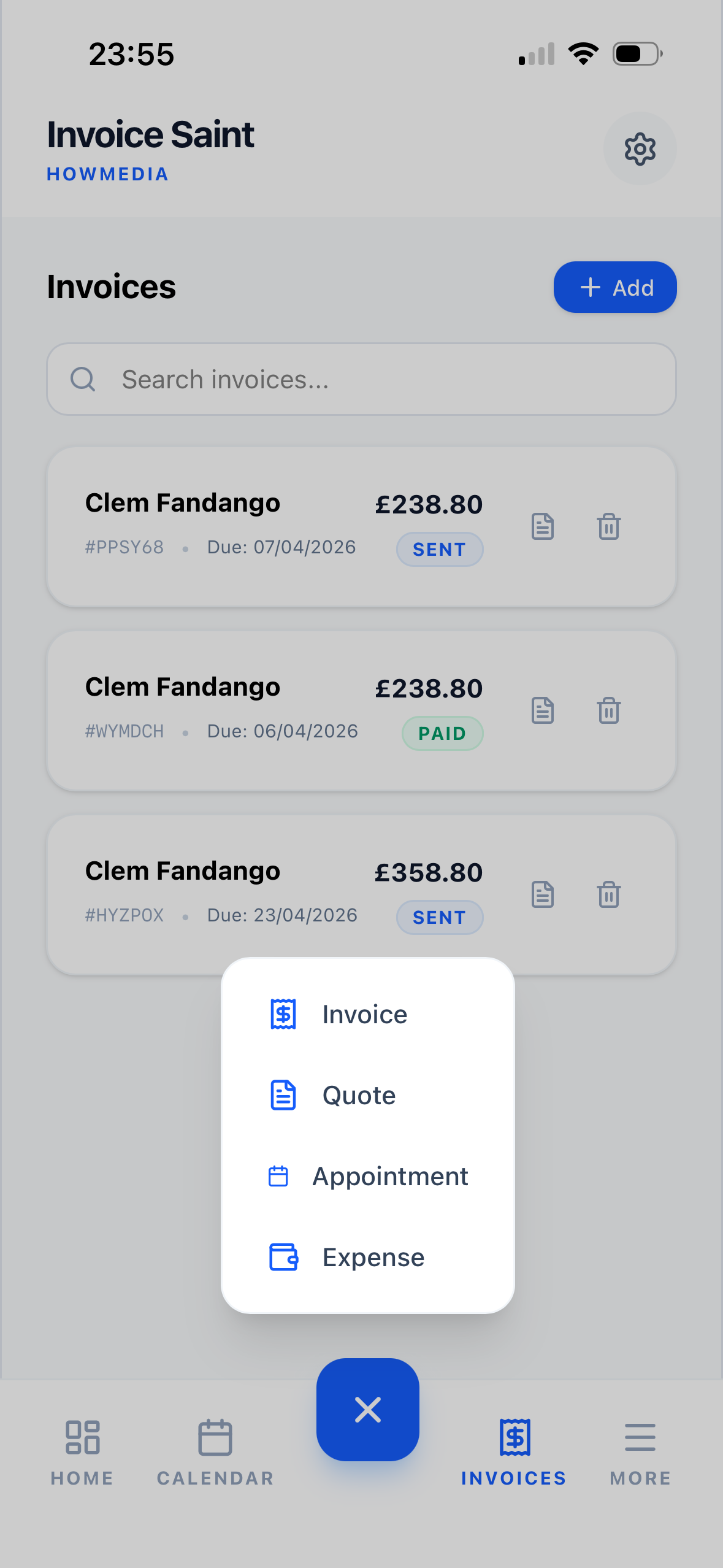
- Tap Create Invoice from the dashboard or client profile
- Select the client
- Add your line items — description, quantity, and rate
- Set the due date and any notes
- Tap Send — the client receives a professional PDF by email instantly
The whole process takes less than two minutes, even on a phone screen.
Real-Time Payment Tracking
One of the biggest advantages of a mobile invoicing app is knowing exactly where you stand, whenever you want. Invoice Saint's dashboard updates in real time, showing you:
- Total revenue for the month or year
- Outstanding amounts across all clients
- Overdue invoices that need attention
You never need to open a spreadsheet or log into a desktop app to check your numbers.
Handling Partial Payments and Deposits
Not every project is a single invoice. Invoice Saint supports partial payments and deposit invoices, so you can:
- Collect a deposit before starting work
- Issue progress invoices for longer projects
- Mark partial payments as received and track what's still owed
This is particularly useful for contractors, consultants, and anyone working on phased projects.
Staying Organised with Filters and Search
As your client list grows, finding the right invoice quickly becomes important. Invoice Saint's search and filter tools let you sort by:
- Client name
- Invoice status (paid, pending, overdue)
- Date range
- Amount
Everything you need, without the clutter.
The Bottom Line
You don't need a laptop, an accountant, or a complicated system to run a professional invoicing operation. With Invoice Saint on your phone, everything from client management to payment tracking is right in your pocket — ready whenever you are.
Ready to streamline your invoicing?
Join thousands of freelancers who trust Invoice Saint to manage their billing.
Download Invoice Saint